

A big change has happened for Europe’s borders: they’re now digital. The Entry/Exit System (colloquially known as EES) is live across the Schengen Area, after a multi-month roll-out. This means that manual passport stamps are going away and are being replaced by biometric records. In order to help make the process a bit smoother, the European Union developed a free mobile app called the Travel to Europe app. This app is meant to help you prepare before you reach the border, speeding up your border crossing. This guide shares how the app works, who it’s for, and how it may save you time.
Today, we don't know if this app will play any role in ETIAS.
The video below provides a complete walkthrough of the app.
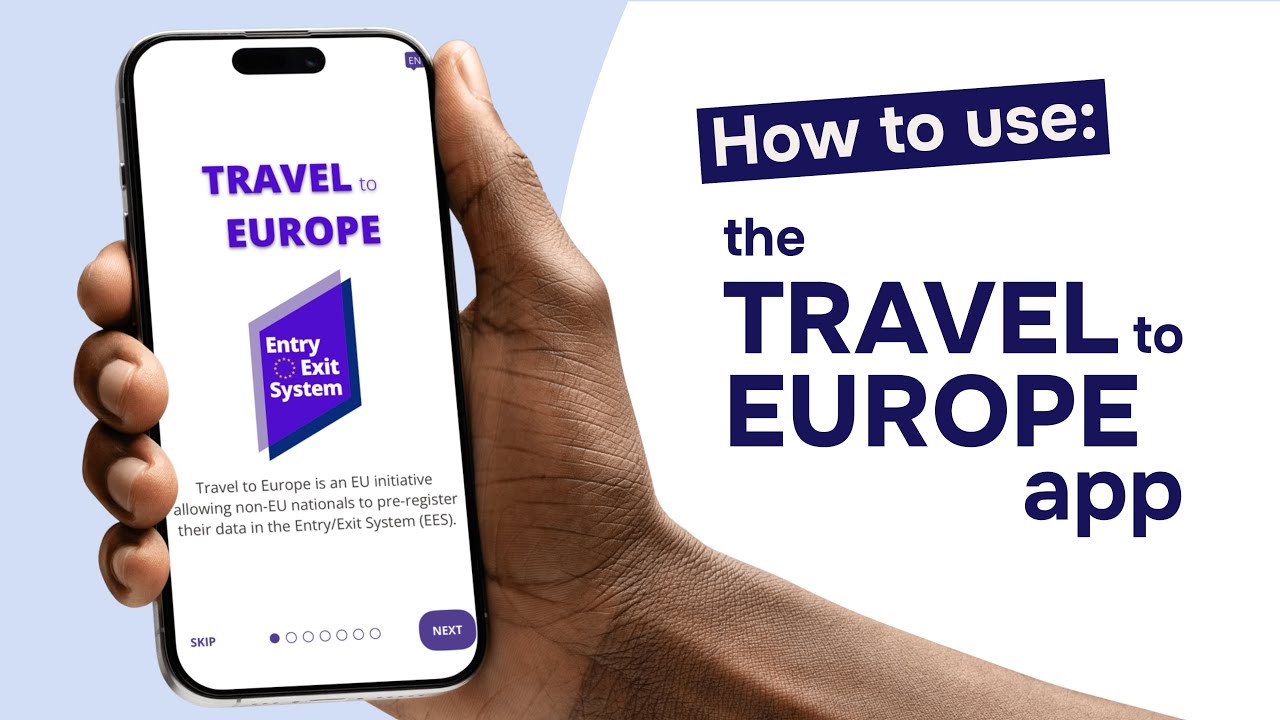
What is the Travel to Europe app?
The Travel to Europe app is an official mobile application from the European Union. Developed by Frontex, the EU’s border and coast guard agency, the app lets non-EU travelers pre-register certain details like passport information and facial imagery before arriving at the Schengen border. Running alongside EES, the app is free and available for both iOS and Android users. It isn’t a mandatory app; it’s completely voluntary.
It’s also helpful to know that the app doesn’t allow you to do all the work beforehand and then skip certain processes at the border. You will still be required to pass through border control in person. The app can just get some of the information-collecting out of the way before you arrive.
| System | What it is | Who it concerns |
|---|---|---|
| EES (Entry/Exit System) | Digital border system that replaces passport stamps | Most non-EU visitors |
| Travel to Europe App | Optional pre-registration mobile app for EES | Non-EU visitors heading to participating countries (and who have biometric passports) |
| ETIAS (likely 2027) | Pre-travel authorization, applied for online | Visa-exempt, non-EU travelers (such as US or UK citizens) |
EES, the Travel to Europe app, and ETIAS all don't have anything to do with EU VAP, the digitization of the Schengen visa application system, which is set to be operational around 2030.
How does the app work?
The app is meant to help travelers provide the information needed to pass through EES. The idea behind it is to have travelers load some of the information ahead of time (up to 72 hours before the trip) to help save a little bit of time at the border. With the app, you scan the chip inside your passport, take a selfie so the system can match your face to your passport photo, and answer a few questions.
Then, the information that you’ve securely provided is sent ahead to the country that you’re visiting. Once you pass through the border, you’ll stop at the EES kiosk or border counter (depending on where you’re crossing). Because you'll have already sent some of your information ahead of time, the crossing is, in theory and goal, quicker.
Dream trip to Europe?
Protect your trip for ultimate peace of mind
Who can use it?
The app was created for non-EU nationals visiting Europe for short stays (up to 90 days). This is commonly tourists, business travelers, or people visiting friends and family. To use the app, you need a biometric passport. If you have one, there will be a small “card/chip” symbol on the cover. This means that your passport has a chip holding a digital copy of your identifying information (name, passport number, etc.).
Which European countries use the app?
The app is optional for travelers, but it’s also optional for countries. While EES went fully live across all 29 of the Schengen states on April 10th, 2026, the application is separate. It’s an optional tool that countries can use at their own pace. Currently, only Sweden and Portugal offer the app. Portugal only uses the app in part (the questionnaire section).
If your destination hasn’t adopted the app’s technology yet, it really won’t make sense for you to download it. However, if your destination is Sweden or Portugal, it may be something interesting for you.
How to use the app step by step
Providing your information on the app only takes a few minutes. First, you need to download it from either the App Store or the Google Play Store (depending on your device's operating system).
Then, you’ll be prompted to create a six-digit PIN. Each time you go on a trip and use the app, the trip is saved as its own “journey”. So, you start by creating a new “journey”, adding your arrival date, the country you’re entering, and how you’re getting there (plane, land, sea, etc.).
Next, you will need to scan the chip in your passport by holding your phone against it, then photograph the photo page and take a selfie so your identity can be confirmed.
There are a few questions that you’ll need to answer about your trip at this point as well. The app also allows you to add people you’re traveling with (if that’s the case), and then you will submit all of that information!
Your trip’s information will be accessible to the relevant authorities in your arrival country, who can then review it.
Is your personal data secure?
Yes. The Travel to Europe app is an official tool of the European Union. All of the sensitive operations, such as reading your passport chip and holding your information, happen through secure servers. Their processes follow both GDPR and EU privacy laws. Frontex, a highly secure organization, is responsible for the data passed and collected.
Still, it’s worth knowing that your information is retained in the Entry/Exit System and is accessible to border authorities throughout the Schengen area. Under the European Union’s rules, it is kept for three years.
Where to download the app
The app is free to download, and it’s available on both the Apple App Store and the Google Play Store. In the store, search for Travel to Europe and double-check that the publisher is the European Union before clicking download. Lookalike apps that are not official may show up, and it’s best to avoid these. The official app has the EU logo and only asks for the permissions it needs, such as your camera to scan your passport and take a selfie.
The app is free on both the Apple App Store and Google Play. Search for Travel to Europe and check that the publisher is the European Union, because look-alike apps do show up on the stores. The official one carries the EU logo and asks only for what it needs: camera access to scan your passport and take your selfie.
Do other countries use the app?
Right now, only Sweden and Portugal are officially integrated into the app. Still, other countries have expressed interest. As more countries become available within the app, they'll be shown on the official Travel to App website.
Make Sure You're Covered
Get travel insurance that covers you in Europe!
Frequently Asked Questions
 Sources & references
- Internal Expertise & Review
- We're a travel insurance company with more than 15 years of experience in Schengen visa insurance. Our team of professionals is dedicated to providing accurate, up-to-date information about European travel, including new technologies like the Travel to Europe App. We're committed to producing and sharing relevant resources and guides for travelers worldwide.
- The Technicality of the Travel to Europe Mobile App
- How it Works : How the Travel to Europe App works; its purpose, etc.
- 04/04/2024 Press Release : A press release about digital and technical solutions for the Travel to Europe App
- Signicat's ReadID : Technology used in the Travel to Europe App
- EES Data Rules : The legal text for data collection, processes, and more for the Entry/Exit System
- The Official ETIAS Website
- ETIAS/EES : The official ETIAS and EES website from the European Union
- The Travel to Europe App : Information on the Travel to Europe App
- EES Press Release : An April 10, 2026 press release from the European Union, announcing the completed roll-out of EES
- First Partnering Airport:
- 05/20/2024 Press Release : A press release from the Stockholm Arlanda Airport about their flagship program with the Travel to Europe app
- Written by:
- Sarah Pardi - Staff Travel Advisor
- Fact-check and reviewed by:
- Clément Goubon
- Last updated:
- August 5, 2026
Learn more about our editorial standards and review process in our Editorial Policy.